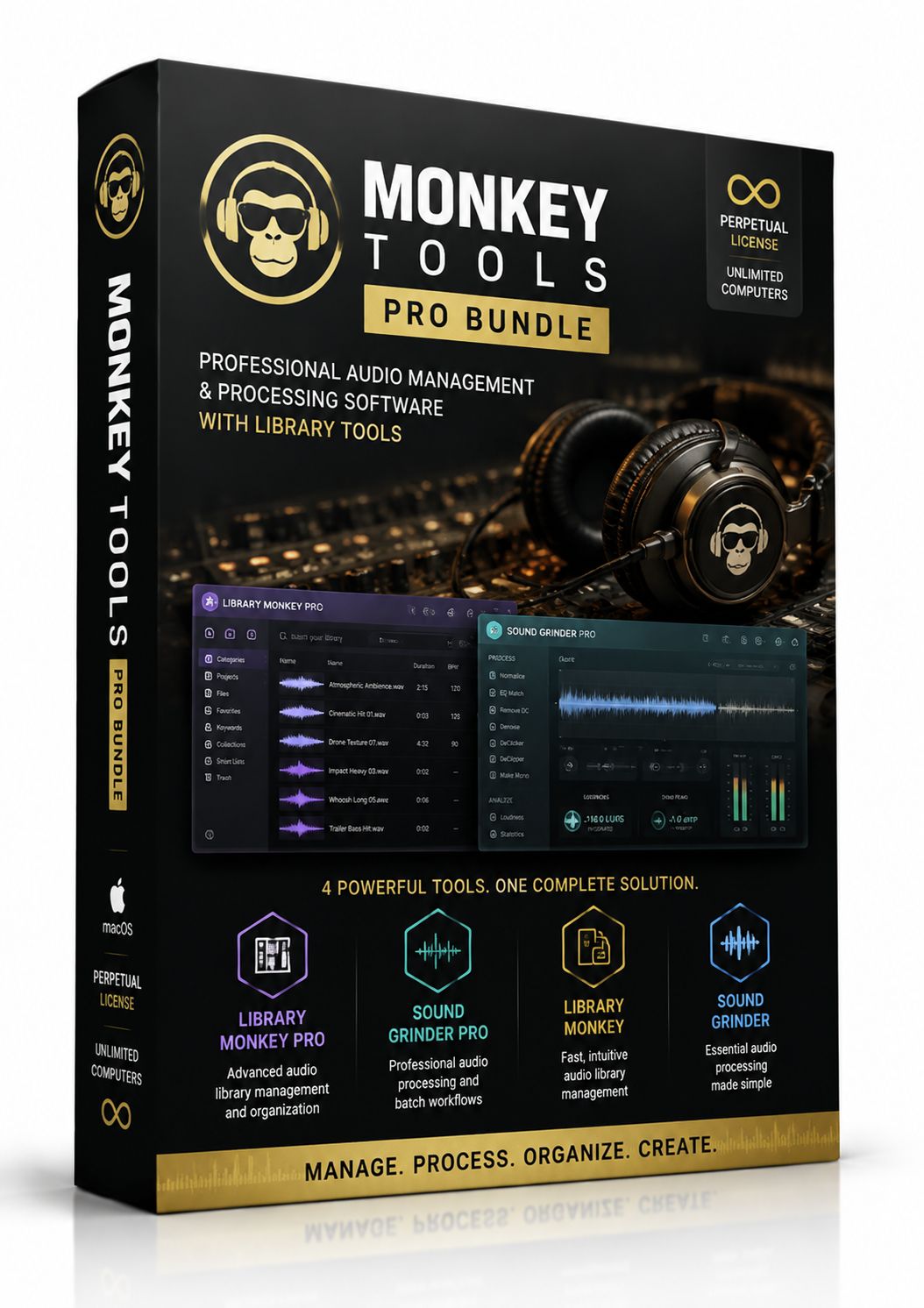
MONKEY TOOLS Sound PRO Bundle
€160
In stock
Save this product for later
MONKEY TOOLS Sound PRO Bundle
Product Details
Monkey Tools PRO Bundle for Mac - Professional Audio Management and Processing Software with Library Tools and Perpetual License
Library Monkey Pro, Sound Grinder Pro Bundle, Library Monkey and Sound Grinder Bundle
Bonus Software: n-Track 10.x
The right tools to tackle your every day audio production needs on macOS.
Sound Grinder Pro.
This Monkey Shines!
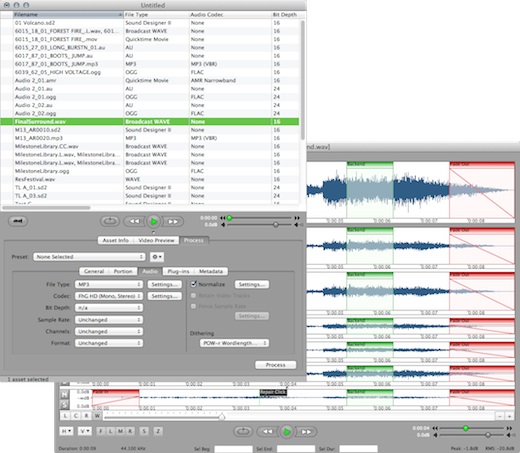
Backed by the power of Sound Grinder, Sound Grinder Pro is the Studio Monkey's secret weapon. Not only does Sound Grinder Pro make quick work of batch processing, but also does nifty tricks like editing waveforms, extracting audio regions and Portion Control™ without leaving the application.
Oh, and this Pro also batch processes with the AU and VST plugins...clever little monkey.
Asset Processing
Tackle your conversion operations with ease and excellent stability. Need to convert an entire hard drive into a new format keeping the entire folder hierarchy? That is no problem for Sound Grinder Pro! Even simple repetitive tasks are simplified with the use of Droplets. Create a preset, save it as a Droplet, and now, with a simple drag-n-drop, you can repeat the same process over and over again. Imagine being able to convert and upload to a server with a single step.
Dithering Support
Keep your audio assets sounding great after bit-conversion using the musical and low-noise POW-r dithering algorithm. Now available in Sound Grinder Pro and Library Monkey Pro, choose from three types of algorithms to meet your conversion needs.
Selective Processing
Export user-defined portions of a file in a single batch process. Take sections of audio from the beginning, end or anywhere in-between, and apply fades based on type and duration. You can even perform an auto region and export the new regions in a single pass complete with custom naming. If you have ever needed to create demos of your work or export countless regions and loops, Portion Control is the feature you have been dreaming of.
Plug-in Processing
Batch-process your audio files through your favorite AU, VST and Monkey Tools plug-ins including the new Watermark plugin. Create a custom pipeline, preview your results before processing and create presets or Droplets to process your files with simple drag-n-drop.
Metadata Processing
Todays content producer needs the ability to edit metadata data quickly and in large batches. To meet that need, we have included several powerful metadata tools including: Setting specific tags to be applied to all assets on export, mapping of metadata from one tag to another, importing and viewing of MPEG 4 and ID3 artwork, and batch import using a CSV file.
Waveform Editing
With its efficient design, you will quickly find your way around the editor, saving time in your editing tasks. Work with fades, loops and markers with an intuitive interface. Edit multi-channel audio and customize the editing environment to your liking. Use the unique waveform overview to quickly navigate the audio and locate edits. Create and name regions for easy separation and exporting. Perform actions such as Normalize, Auto-Region, Auto-Trim, Apply Plugins, Change Sample Rate and much more.
Spot to DAW
Quickly search and spot your assets to Pro Tools™ or Logic Audio™ using the integrated spotting features. Import and select your assets and send them to your DAW software with a simple click. We take it one step further by providing conversion options during the spot to ensure that the assets match your session settings.
Library Monkey Pro.
Go Bananas!
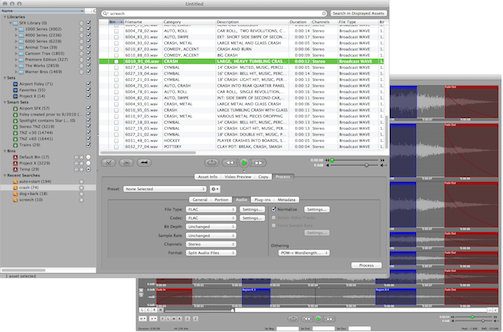
Sleek, powerful, and dominant, Library Monkey Pro is the 800-lb gorilla you need to handle all of your monkey business. A complete librarian and CD ripper with an integrated Sound Grinder Pro
Library Monkey Pro is the main event. Import, manage, edit, process and "Portion Control™" all your audio one place -- with full AU and VST Plug-in support. And don't worry if you're running ProTools®, Digital Performer®, Logic®, or another pro DAW, Library Monkey Pro fully adapts to any habitat.
Import It
Import your existing audio assets with a simple drag and drop, or import your iTunes library to get up and running quickly. You can also rip your CD audio libraries with full track and index support.
Organize It
Organize your assets according to their structure on your system in the form of Libraries. You can also create Sets, in which you can organize your assets by project, talent, character, time frame, or any criteria you desire. Your Sets can have a hierarchy, and an asset can be in as many Sets as needed. In addition, you can create Smart Sets according to any set of criteria and Library Monkey Pro will keep them up-to-date as you add and modify assets.
Find It
In addition to creating Smart Sets, you can find specific assets quickly by performing advanced searches. The search can be global or limited to specific Libraries or Sets. You can perform searches inside search results as well. Once you have found specific assets, store them in the Bin while you search for more. Once you're finished, select all the assets in the Bin for processing.
Edit It
Open your assets in the waveform editor, and perform actions such as normalize, auto-region, auto-trim, apply plugins, change sample rate and more. Create and name regions for easy separation and exporting. Work with fades, loops and markers with an intuitive interface. You can also edit multi-channel audio and customize the editing environment to your liking.
Process It
At the heart of Library Monkey Pro is a powerful processing feature set. From popular formats and codecs to POW-r dithering and plugin processing, there are few processing tasks you cannot tackle. Process multi-channel files with custom naming, force sample rates to repair files, recreate an entire directory in a new format and more. You can utilize several metadata features including: import from CSV files, in list editing, and metadata tab settings. In the metadata tab, you can even remap metadata to different fields.
Bonus Software, n-Track 10.x
n-Track is one of the most cross platform available DAWs around, and probably covers more platforms than anyone else.
Your purchase will be available for download immediately after payment is received. Updates will always be accessible in your account.
DKSoft.shop©
Display prices in:EUR